Show shape and habit
Include the plant’s overall form and the setting where it is growing.
 Garden Sage
Photo identification with Garden Sage
Put a name to your plant from a photo. Check the suggested name, then add your plant to My Garden. Keep its care guidance, watering history and later photo checks together.
Free to download. Start with two saved plants; optional Premium supports a larger collection. Compare free and Premium.

From photo to plant record
Start with the plant in front of you. Add your plant to My Garden to keep later photo checks and watering or feeding history together.
Show the whole plant where possible, or use one attached leaf, stem, flower, fruit or bark detail when that best answers the question.
Compare the name with your plant. Read what is still uncertain and whether a closer photo would help.
Check the name before saving it. Keep later photos and watering or feeding notes with the same plant.
Product proof
The result tells you whether there is enough evidence to confirm a match, whether only a broader plant type is clear, or whether another photo would help. A result labelled Prediction is a suggestion that still needs checking.
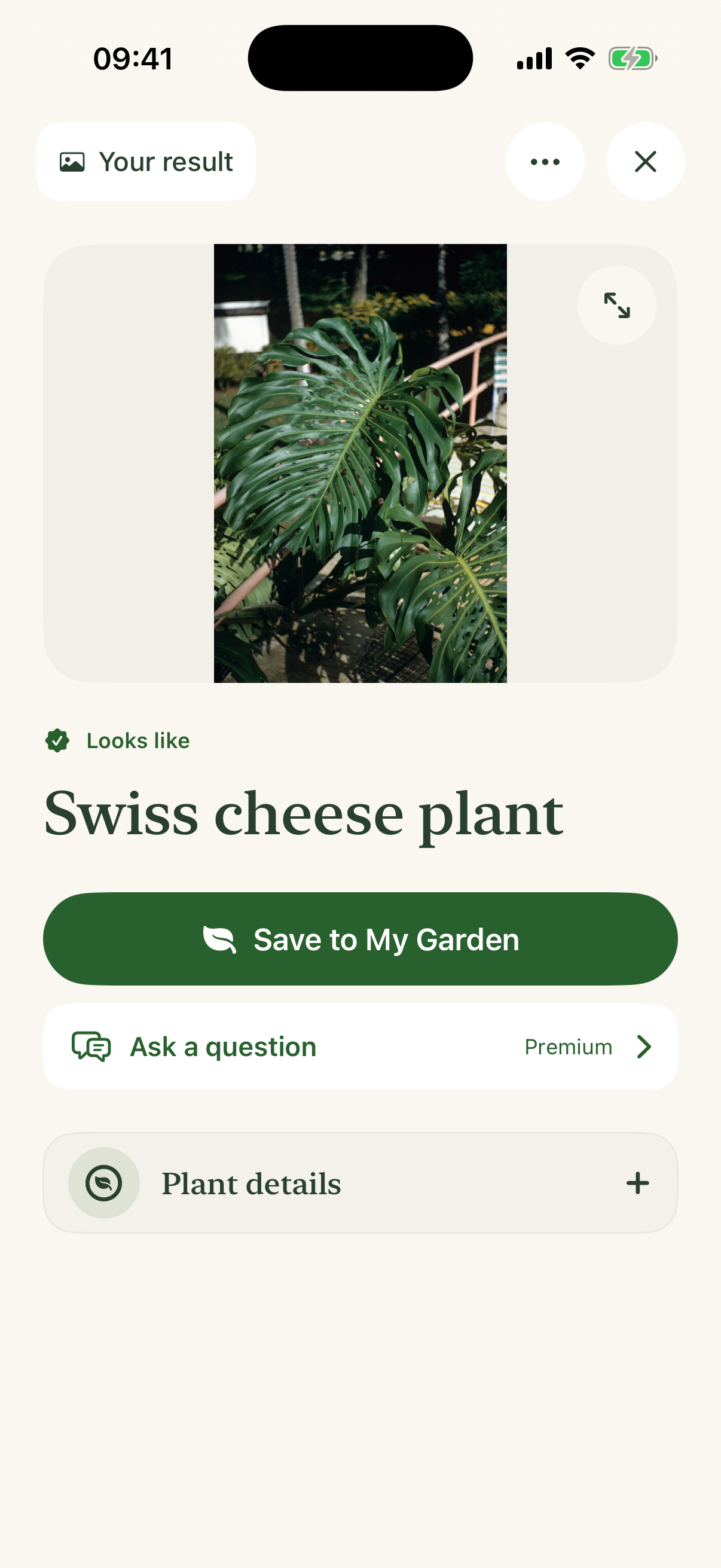
Better evidence, better starting point
A useful result begins with a useful view. Choose either the whole plant or the attached detail that best answers the question; when there is no useful result and another view would help, the app can ask for one.
Include the plant’s overall form and the setting where it is growing.
Leaf arrangement and stem structure can separate plausible lookalikes.
Flowers, fruit, buds, bark and a sense of scale can carry the identification.
Honest uncertainty
Garden Sage can show a clearly labelled prediction, keep an identity broad or ask for another view instead of inventing species-level certainty. Treat any app result as a starting point when toxicity, foraging, treatment or another high-consequence decision is involved.
How Garden Sage handles uncertaintyLearn before you photograph
These editorial guides explain the evidence and limitations in more depth. The page you are on explains the product workflow.
From a name to ongoing care
Start free: Start with a free plant check: one useful check, once. Retakes and clarifications needed to finish it are included. Your result and essential care stay available. Save up to two plants free.
Care for a larger collection: Premium includes further plant checks, saved-photo reanalysis and new AI garden questions, with up to 50 plant checks each day. It also removes the two-plant save limit. Your existing saved plants, results and conversations remain readable when Premium ends.
Choose a monthly or annual Premium plan. Any introductory trial is shown in the app, subject to Apple’s offer and your eligibility.
Apple shows the current storefront price and renewal period, and confirms any trial duration and eligibility, before you subscribe. After a trial, the selected paid plan begins automatically. The subscription renews unless cancelled in Apple subscription settings.
Download on the App Store